
When your income is stretched, it’s easy to feel like your money disappears the moment it lands in your account. One minute it’s payday, the next you’re staring at your balance wondering what happened.
That’s not a willpower problem. It’s a planning problem.
A zero-sum budget fixes it — by giving every dollar a job before it gets spent on something you won’t remember.
I’ve been using this method for years. It helped us pay off our mortgage in five years, fund a year of family travel, and get to the point where money stress is no longer a feature of daily life. Not because we earn a lot. Because every dollar has somewhere to be.
Here’s how it works, how to set it up, and how to use the free Mums Money template to make it easier.
Table of Contents
What Is a Zero-Sum Budget?
A zero-sum budget means your income minus your expenses equals zero.
Not because you’ve spent everything — because every dollar has been assigned somewhere on purpose. Bills, groceries, debt repayments, savings, investments, fun money. All of it gets a job before the pay period begins.
Income − expenses = $0
When you hit zero, the budget is done. Everything is accounted for. No guessing, no hoping there’s enough left at the end of the week, no nasty surprises.
Why It Works
It removes the guesswork. You decide where the money is going before you spend it. No mystery at the end of the month.
Savings becomes non-negotiable. Savings gets a job just like rent does. You don’t save “whatever’s left over” — because there’s never anything left over. The amount is assigned, full stop.
It handles irregular expenses. Birthdays, car registration, school trips, the dentist — these are the expenses that wreck most budgets because people forget to plan for them. A zero-sum budget has a spot for all of it.
It works for variable income, too. If your pay changes week to week — self-employment, casual work, commission — you can still make this work. Start from your income floor and assign from there.
It forces honesty. When you write down every category, the things you’ve been ignoring show up. That’s uncomfortable for about one budget cycle. After that, it becomes useful information.
Before You Start: Know Where Your Money Is Going
Before you build the budget, you need a real picture of what’s actually happening right now.
Pull up your bank and credit card statements for the last two or three months. Write down everything that comes out: rent or mortgage, power, internet, insurance, debt repayments, groceries, petrol, subscriptions. Then look at the irregular stuff — dentist visits, car rego, birthday presents, school fees.
Most people underestimate their spending because they only consider regular bills. The irregular ones are where budgets fall apart.
How to Make Your Zero-Sum Budget
Step 1: Add up your income
List every source of income — wages, self-employment, Working for Families, rental income, side hustle earnings, child support, NZ Super. Add them all up.
If your income varies, use a conservative average — the lowest amount you’d reasonably expect in a normal fortnight or month. You can always decide what to do with extra when it arrives.
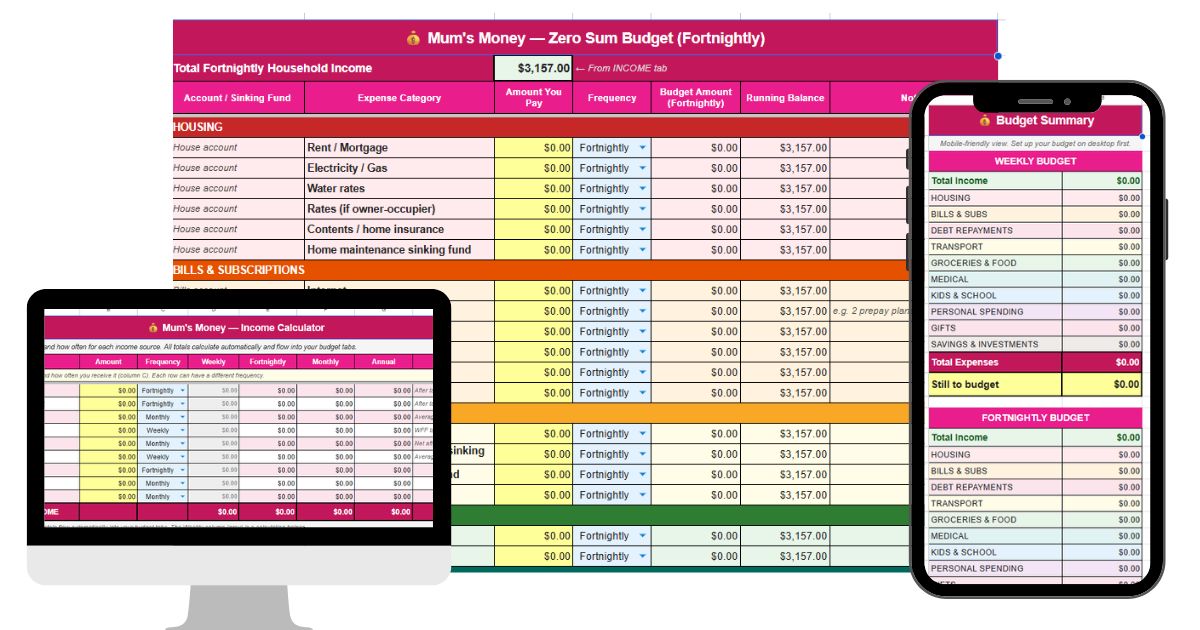
If you’re using the free template, Enter each income source in the INCOME tab along with how often you receive it. The template converts everything automatically — so if you’re paid fortnightly but your partner is paid weekly and you get WFF payments on top, just enter each one separately and it does the maths.
Step 2: List your expenses and group them into categories
Take everything from your bank statements and organise it into categories. Every household’s list will look different, but here’s a solid starting point:
Housing
Rent or mortgage, electricity and gas, water rates, council rates (if you own), contents or home insurance, and home maintenance.
Bills & Subscriptions
Internet, mobile phones, life insurance, health insurance, streaming services, other regular subscriptions.
Debt Repayments
Personal loans, credit card minimum payments, buy now pay later (Afterpay, Laybuy, Zip), store cards, student loan voluntary repayments
If you’re carrying consumer debt, it needs its own category — not buried in miscellaneous, not ignored. Pay at least the minimum on everything, and put any extra toward the highest-interest debt first.
Transport
Petrol, car insurance, a sinking fund for rego and WOF, maintenance costs, public transport
Groceries & Food
Split these two — groceries separately from eating out and takeaways. Most people are surprised by the eating out number when they actually write it down.
Medical
GP visits and prescriptions, dental (as a sinking fund — more on that below)
Kids & School
School fees, uniforms, stationery and trips, sports subs, school holiday programmes, pocket money
Personal Spending
Personal blow money for each adult, clothing and haircuts
Gifts & Celebrations
Birthdays, Christmas, events — planned in advance so they don’t blindside the budget when they arrive
Savings & Investments
Emergency fund, irregular bills fund, KiwiSaver top-up, investments, holiday fund, other goals
If you’re stuck, here is a helpful list of budgeting categories to consider.
Step 3: Plan for variable expenses with sinking funds
This is the part most budget templates skip – and it’s the reason most budgets fail.
A sinking fund is money you set aside regularly for a bill you know is coming but don’t pay every week. Car registration. Dental work. Christmas presents. School camp. Home maintenance.
Add up all your annual irregular expenses, divide by 52, and put that amount aside each week into a separate account. When the bill arrives, the money is already there. No credit card required.
For each specific category — car rego, dental, school camp — I keep a named savings account. That’s what a sinking fund is: a dedicated account for one purpose, topped up a little each pay period so the money is there when the bill arrives.
Separate from those, I also have what I call a Sponge Account.
This is linked to whatever my highest financial priority is at the time (right now, that’s rebuilding my emergency fund).
Because zero-sum budgeting means every dollar needs to land somewhere, the Sponge is what gets you to an exact zero.
If there’s $43 left over after assigning everything else, it goes into the Sponge.
If a category comes up $43 short, the Sponge covers it. It works in both directions — absorbing surplus or releasing funds as needed — so you can budget to a clean zero without having to fiddle with every individual category to make the numbers work out perfectly.
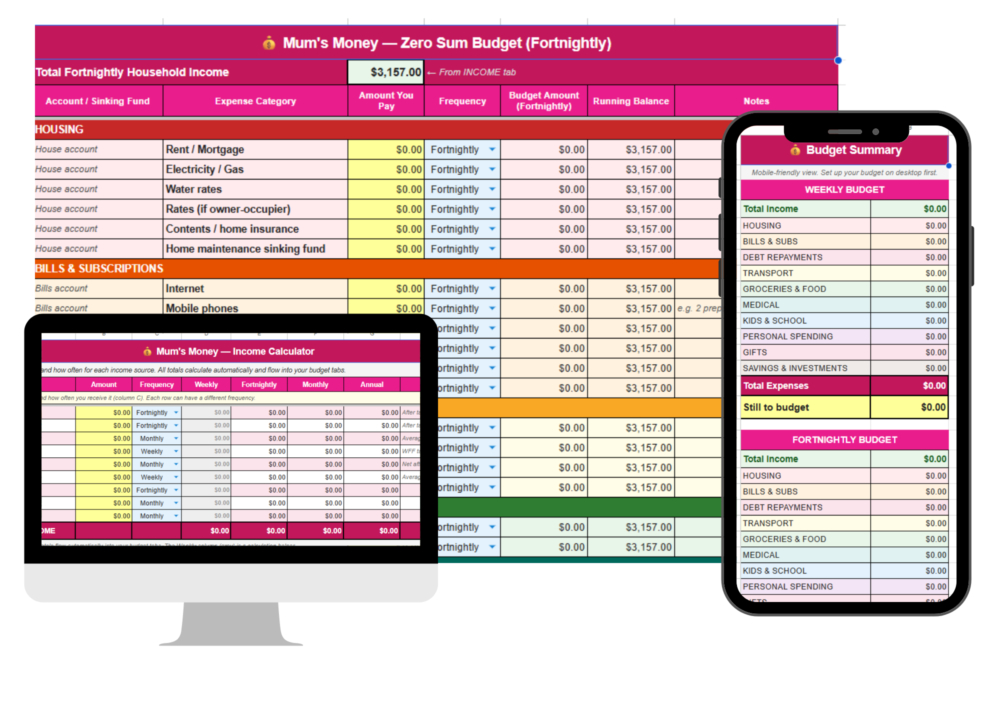
If you’re using the free template, there are sinking fund rows built into every relevant category. Enter the annual cost, select “Annually” from the frequency dropdown, and the template calculates your weekly or fortnightly contribution. No maths needed.
Step 4: Assign every dollar
Now put it together. Take your total income and subtract each expense category until you reach $0.
Here’s how it might look for a household bringing home $6,000 a month after tax:
| Category | Amount |
|---|---|
| Rent / Mortgage | $1,800 |
| Groceries | $700 |
| Utilities | $350 |
| Transport | $300 |
| Insurance | $250 |
| Debt repayments | $500 |
| Kids & school | $200 |
| Personal spending | $200 |
| Gifts & celebrations | $100 |
| Emergency fund | $200 |
| Sinking funds | $300 |
| Investments | $100 |
| Holiday fund | $100 |
| Eating out | $200 |
| Total | $6,000 |
Your numbers will look different — that’s fine. The point is that every dollar has somewhere to go, including savings and the irregular stuff.
Step 5: Aim for $0.00
If you have money left unassigned after covering all your expenses, give it a job. Extra debt repayment, more into savings, a goal you haven’t funded yet. Unassigned dollars get spent — that’s just how it goes.
If your expenses are higher than your income, something has to change. Work through each category and find where you can cut. Start with the discretionary stuff — eating out, personal spending, subscriptions — before touching fixed bills.
Some places to look:
– Takeaways and eating out — cutting back by half makes a real difference
– Subscriptions — how many are you actually using?
– Groceries — meal planning, home brands, and shopping specials all add up
– Power — off at the wall, full loads, lights off in empty rooms
– Insurance and internet — worth a call to renegotiate, especially if you’ve been a customer for a while
It’s also worth looking at the income side — even a small side hustle can close a gap faster than trying to squeeze a budget that’s already stretched.
Check out ways to make extra money in New Zealand for ideas.
Keeping Your Budget on Track
Setting up the budget is the hard part. Maintaining it is mostly just habit.
Automate as much as possible. Set up automatic transfers on payday so money moves to the right accounts before you touch it. Bills account, savings, debt repayments — sorted before you get a chance to spend any of it.
Give each adult some guilt-free money. Non-negotiable. Both adults need a personal spending allowance — even a small one — that they can spend on whatever they want, no questions asked. Without it, the budget feels like a punishment, and it won’t last.
Use separate accounts for different purposes. One account for bills, one for groceries, one for savings, one for the sponge fund. When the grocery account is empty, that’s the week done. Simple and it works.
Track with an app if that helps. Some people like to track spending in real time alongside the budget. PocketSmith is popular for NZ users and connects directly to your bank accounts. Others just check the spreadsheet once a week. Use whatever you’ll actually do.
Review once a month. The first budget is always wrong. That’s fine — you’re working with estimates until you have a few months of real data. Adjust as you go. The budget is a working document, not something you set once and never touch.
Get the Free Zero-Sum Budget Template
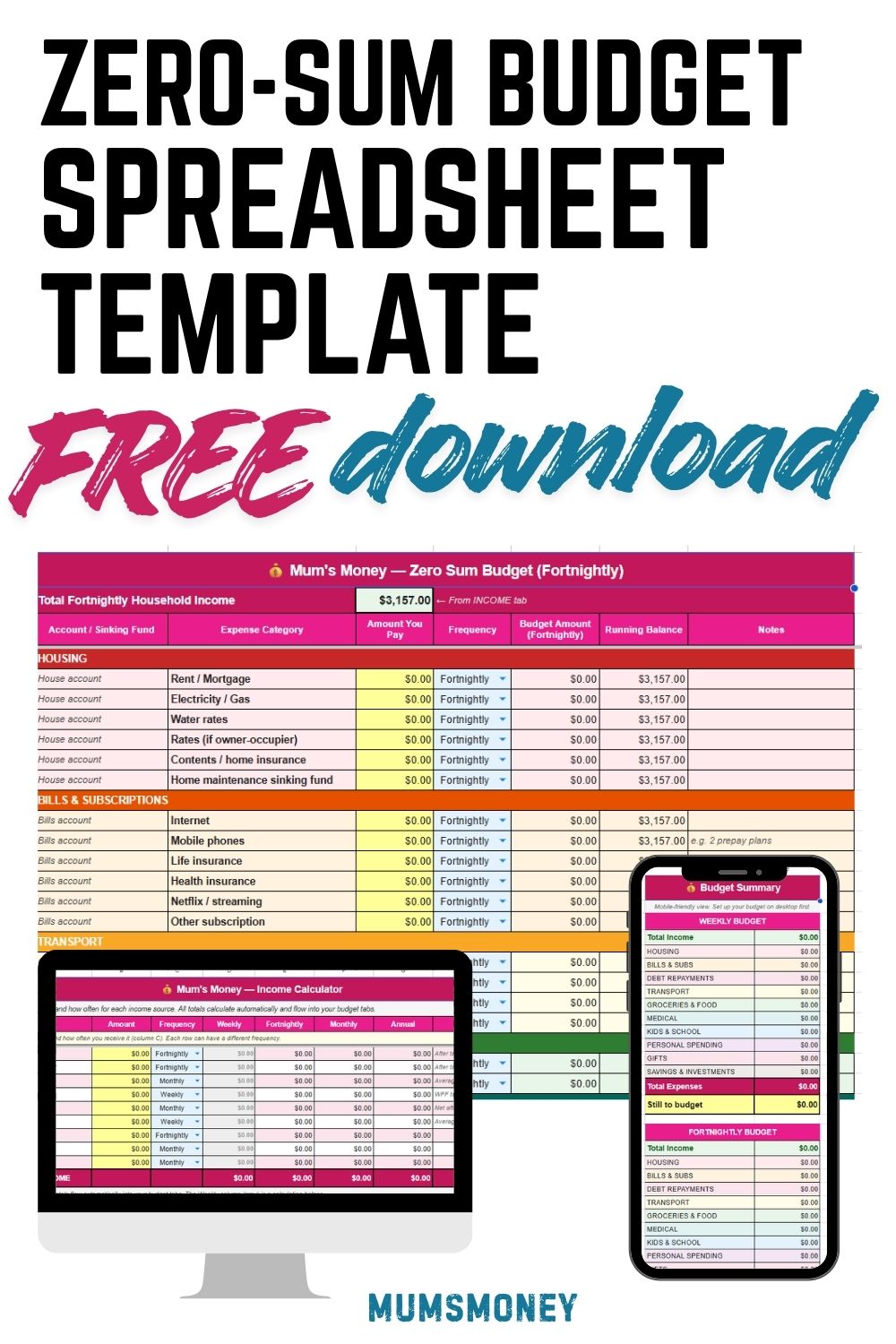
The Mum’s Money Zero-Sum Budget Template is free for personal use and works in Google Sheets. Make a copy to save your own version.
Here’s what’s in it:
INCOME tab — Enter all your income sources with the amount and how often you get paid. It all converts automatically and feeds through to your budget tabs.
Weekly, Fortnightly, and Monthly budget tabs — Use whichever matches how you get paid. Same categories across all three, just a different pay period.
Frequency converter on every expense row — Each expense has its own frequency dropdown. Internet bill is $90/month but you’re budgeting weekly? Enter $90, select Monthly, and it converts to $20.77/week. Every row can be a different frequency. No calculator needed.
Sinking fund rows throughout — Built into every relevant category. Each sinking fund maps to a named savings account for that specific purpose — car rego, dental, school costs, whatever you need.
Sponge Account row — This is your rounding mechanism. It’s linked to your current highest financial priority and absorbs any surplus after everything else is assigned — or releases funds if a category comes up short. Either way, it gets you to a clean $0.00.
Summary tab — A mobile-friendly view that shows income, category totals, and the amount still to budget in a simple two-column layout. Set the budget up on desktop, check the summary on your phone.
If you get stuck, drop a comment below or reply to any of my emails. Happy to help.
One Last Thing
The goal isn’t to account for every cent and never have any fun. It’s to make sure your money is doing what you want it to do — rather than just disappearing on things you won’t remember.
Give every dollar a job first. Spend what’s left on purpose.
That’s the whole thing. Simple, but it works.
If you prefer video – here is a walkthrough using example figures – apologies for the waffling!
Want me to go through yours with you?
If you like the idea of a zero-sum budget but want someone to sit down and actually do it with you, that’s exactly what the Budget Reset is.
You get the spreadsheet to fill in with your own numbers, I review it before we talk, and then we go through it line by line together. No judgement, no guilt. Just practical help with your actual money.
Includes a 60-minute strategy call, a written action plan, and a 30-minute follow-up a month later to make sure it’s actually working.
Related guides:
